 Sujaag
SUJAAG FLUX / VIDEO COMPRESSION
Available nowLess video data.
More room to work.
Compress surveillance video before your VMS stores or transmits it. Monitor the results, compare the detail, and choose a profile for each camera.
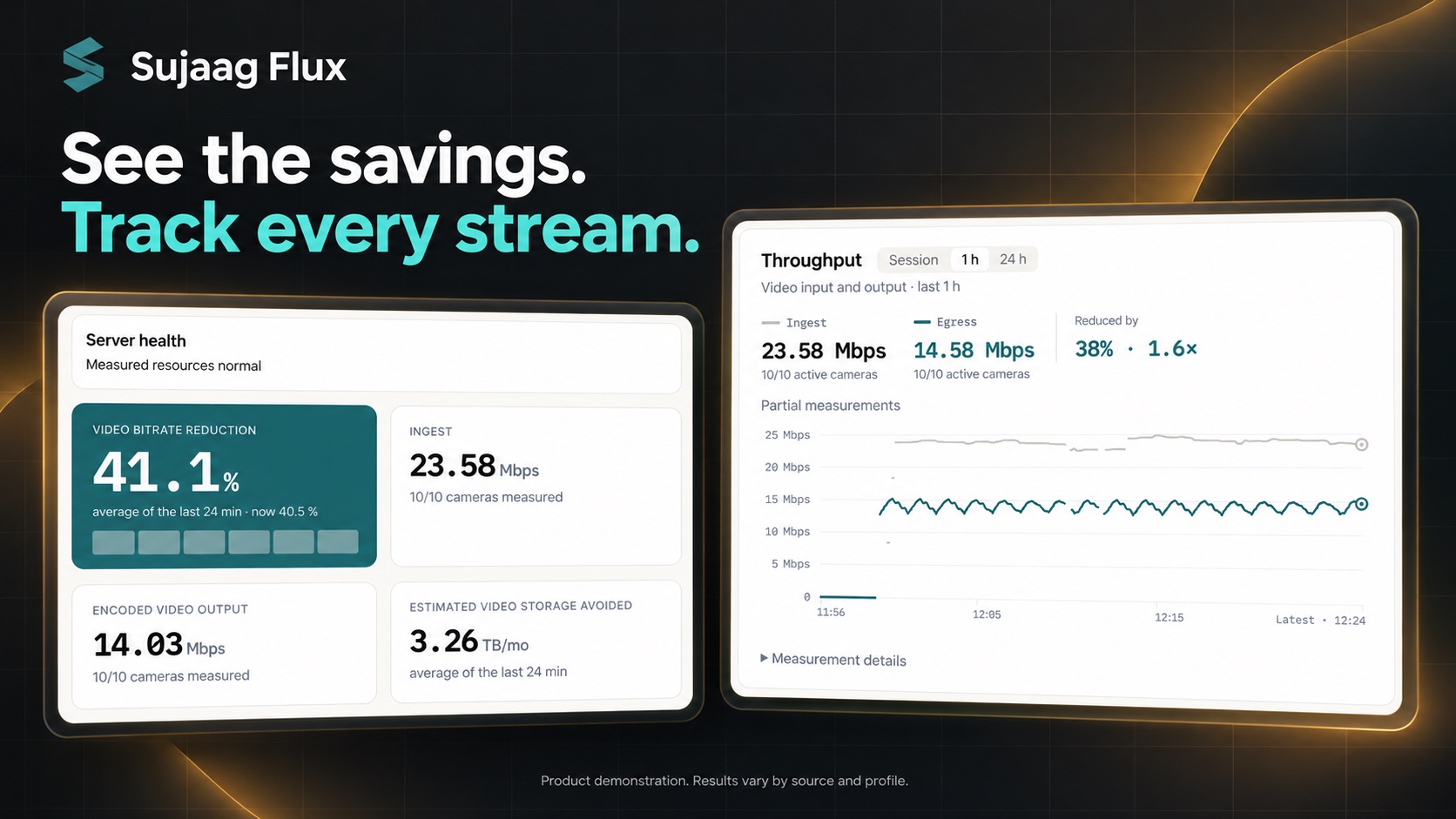
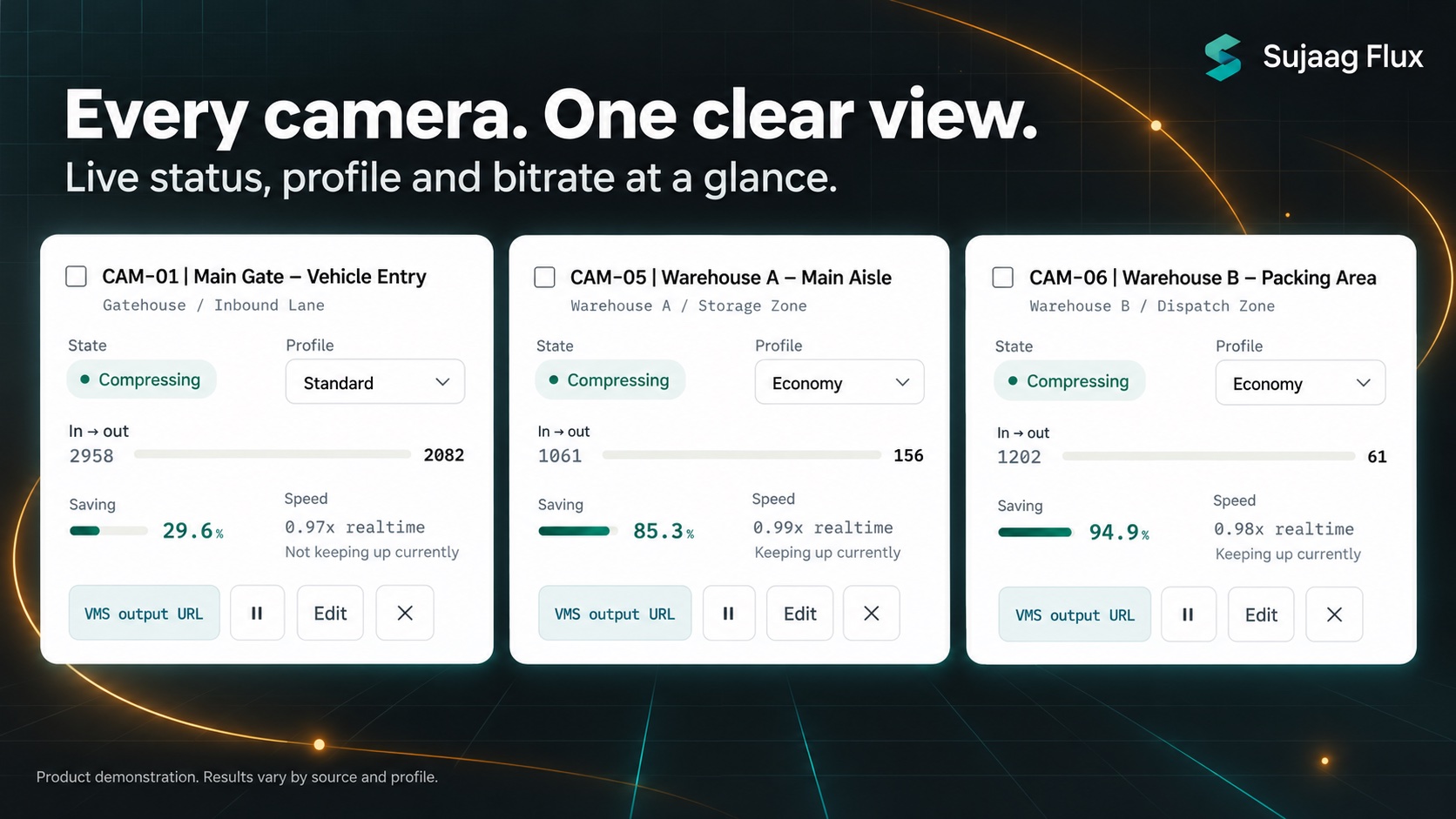
LIVE CAMERA MONITORING
Every stream.
A clearer picture.
See each camera’s current state, assigned profile, input and output bitrate, and compression progress. Move into camera details when a stream needs closer review.
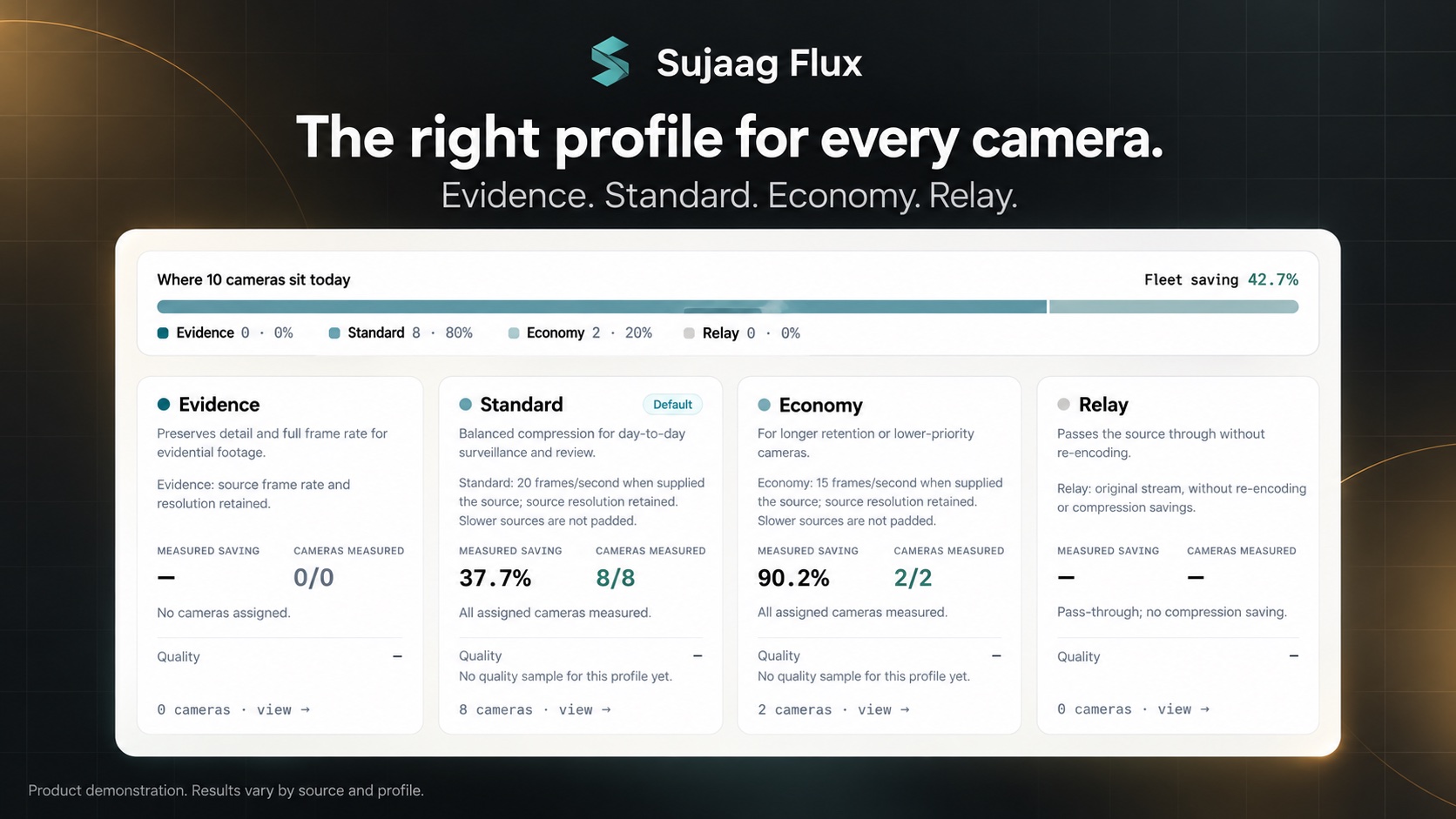
PROFILE CHOICES
Choose the balance
for each camera.
Evidence retains source resolution and frame rate. Standard caps the frame rate at 20 fps; Economy caps it at 15 fps. Slower sources are not padded. Relay passes the original stream through without re-encoding.
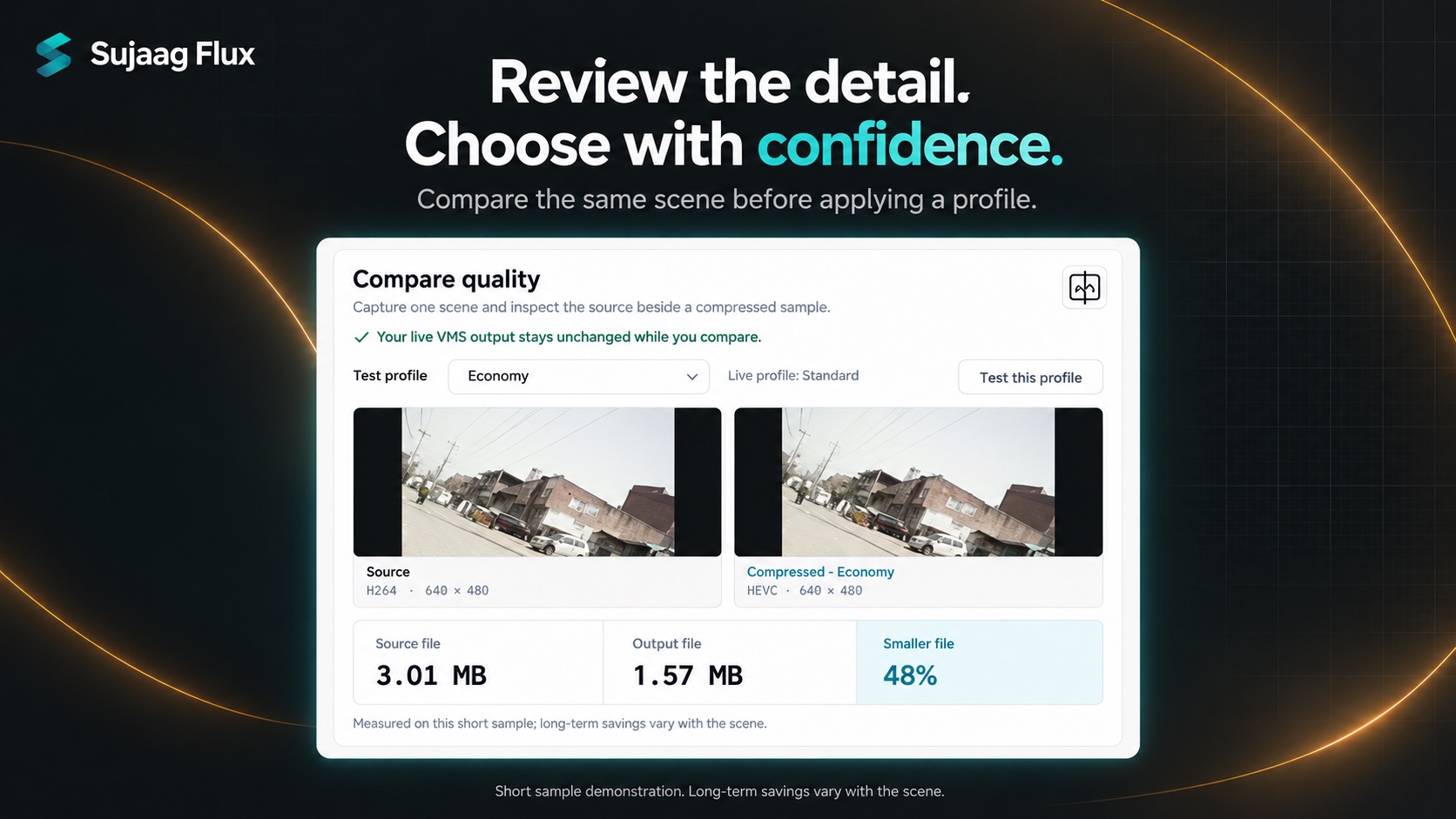
COMPARE BEFORE YOU APPLY
Review the detail.
Then choose.
Capture a short scene and review the source beside a compressed sample. Test a profile without changing the live VMS output, then apply it when you are satisfied with the result. Short-sample file sizes do not predict every scene or long-term savings.
SOURCE → PROFILE → HAND OFF
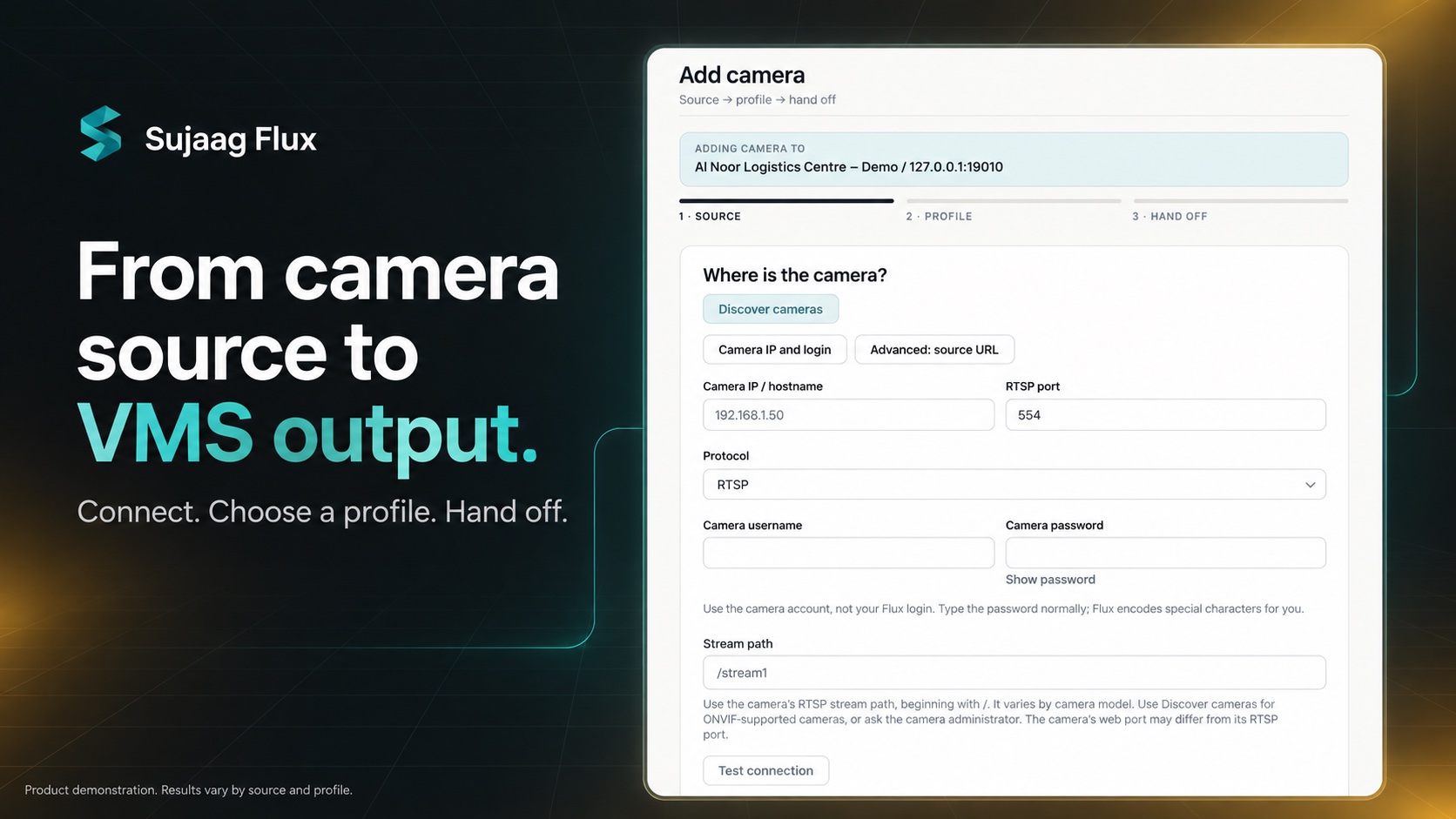
Connect your camera.
Hand off to your VMS.
Enter the camera connection details, test the source, and choose a compression profile. Flux assigns a VMS output URL for the camera. Validate live playback and recording in your VMS before commissioning.
TWO WAYS TO INTEGRATE
Fit Flux into
your environment.
Standalone appliance
Run Flux between cameras and your VMS on your local network. Point your VMS at the Flux RTSP outputs and validate playback, recording and quality in your environment.
Embedded SDK
Integrate the compression engine into your VMS through the C ABI. Available interfaces and bindings include C / C++, C#, Java, Python and Delphi. Discuss your target platform and integration requirements with our team.
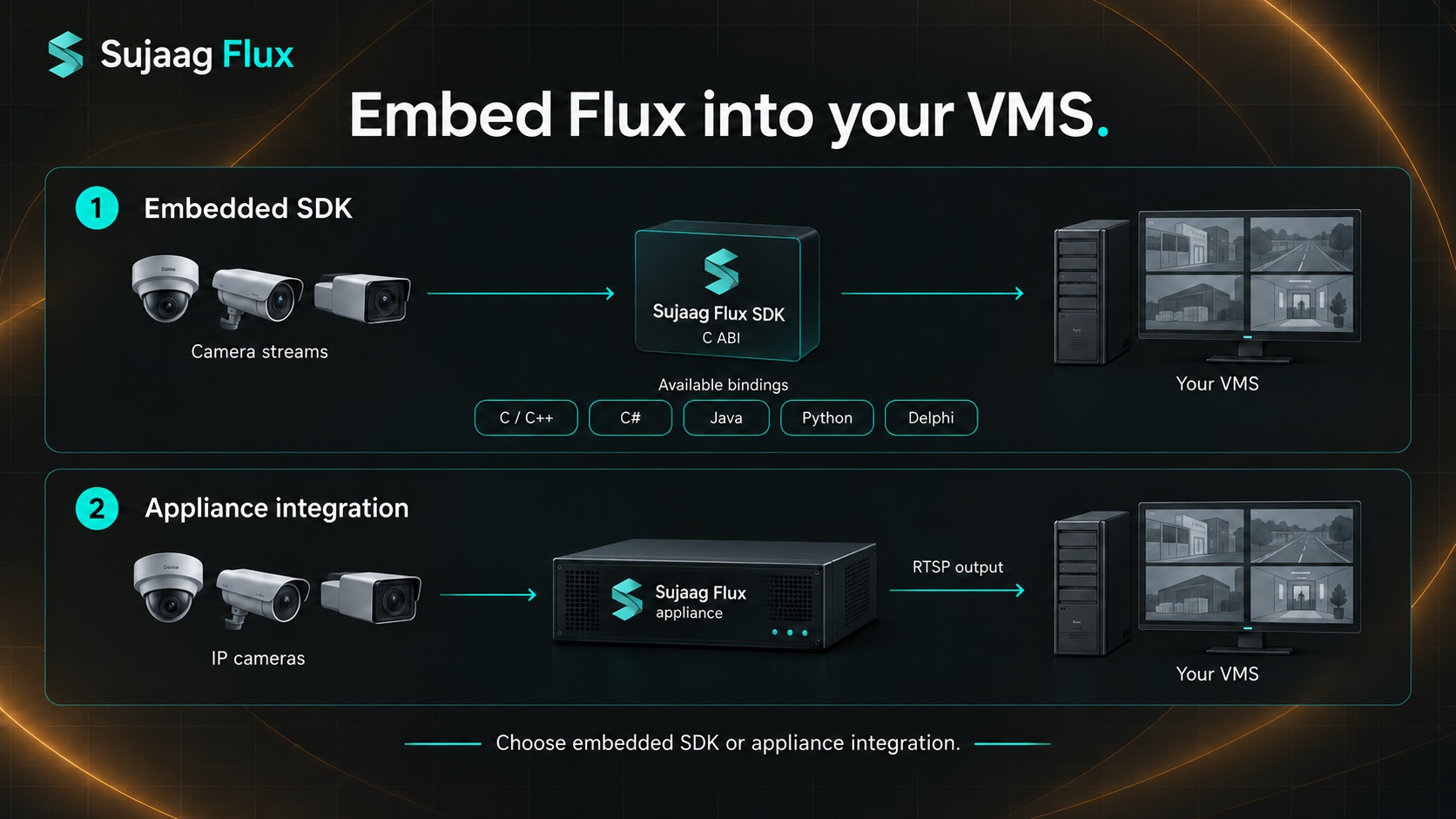
Embedded SDK
Camera streams → Flux SDK → Your VMS
C / C++C#JavaPythonDelphiAppliance
IP cameras → Flux → RTSP output → Your VMS
Compression is lossy. Savings depend on the scene, source and selected profile. Validate the detail you need to retain before choosing a profile.
Discuss your Flux integration ↗LET’S FIND YOUR STARTING POINT
Find the right product
for your operation.
Tell us about your environment. We’ll help you explore the right product.
Talk to the team